Every little  tool
tool
one  scroll away.
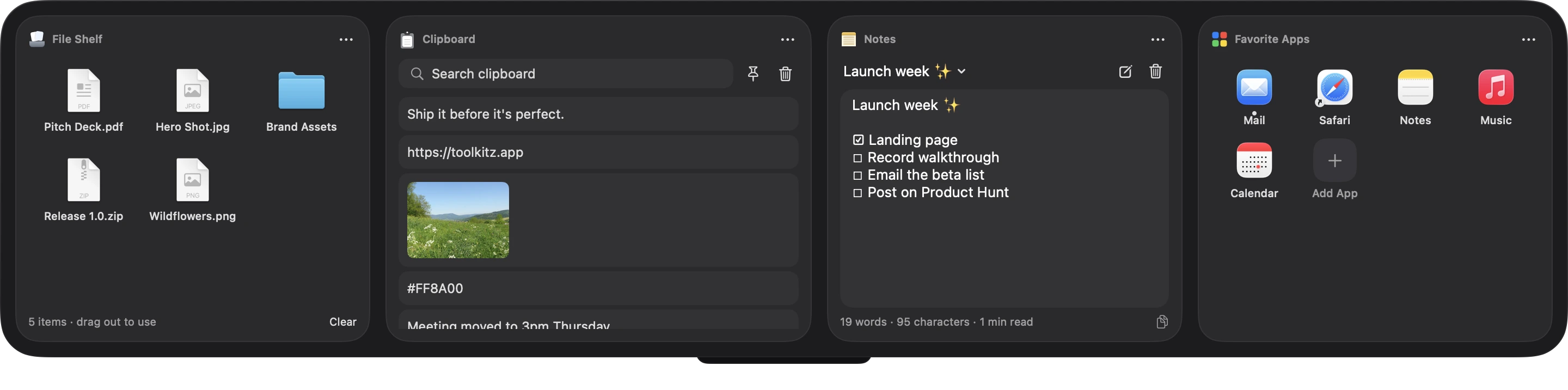
ToolKITZ drops down from the top of your screen with your files, clipboard, notes, text capture and 70+ live modules. Then it gets out of the way.


Live numbers from the services you already use
 Stripe
 GitHub
 Linear
 Shopify
 Supabase
 Plausible
 Resend
 Claude
 YouTube
 BlueskyPolarDub
It's not one little app.
It's the whole drawer.
The tools you reach for every hour, plus 66 more, in one drawer that drops from the top of your screen and gets out of the way.
 The whole idea
Push to the top. Scroll. It's there.
ToolKITZ lives just above your screen. Bring it down over whatever you're doing, use it, and it tucks itself away when your cursor leaves.
- Scroll at the top edge, or hover the notch
- Drag a file up to drop it straight in
- Or press ⌃⌥T, or hold a key you choose
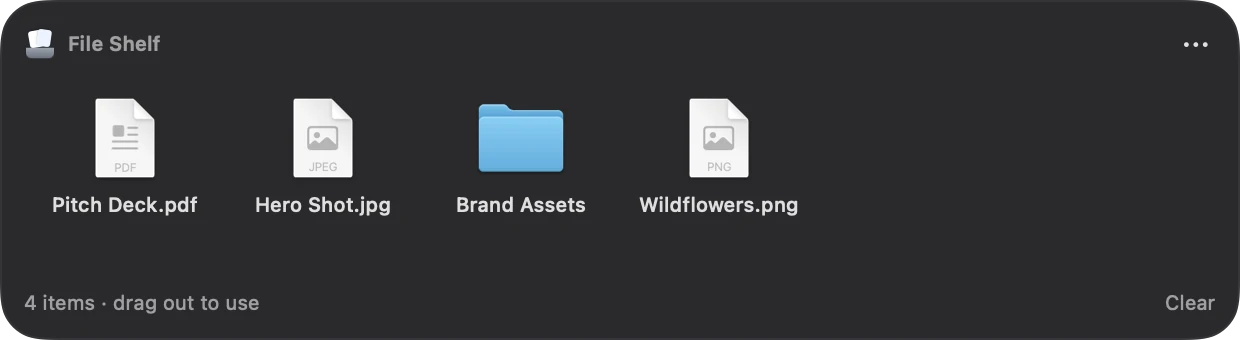
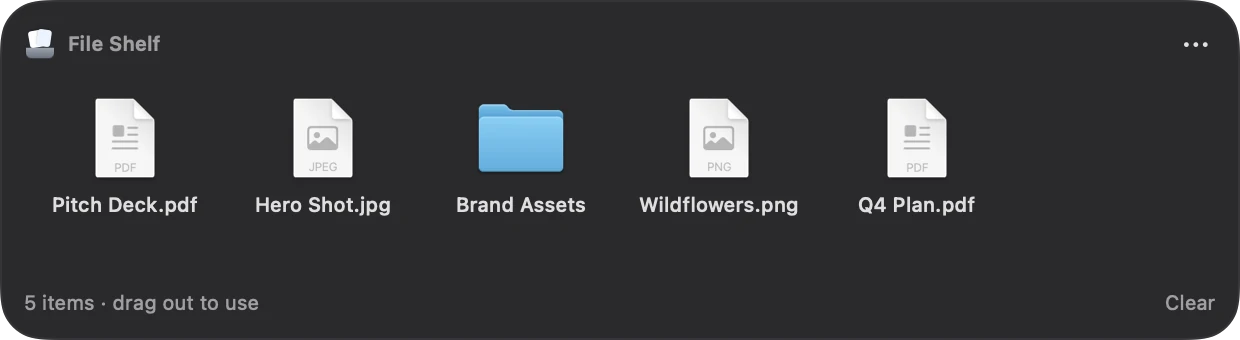
File Shelf
A parking spot for files.
Drop files at the top of your screen and drag them out later, into any app. ToolKITZ keeps a reference; the originals never move.
- Drag in from Finder, the desktop or any app
- Drag out into Mail, Slack, Figma, anywhere
- Keep in place, copy or move: your choice
 Clipboard
Everything you copied.
Text, links, images and files, saved as you copy them. Search, pin what matters, paste as plain text.
- Search the whole history in a keystroke
- Pinned clips stay put
- Password managers are skipped or concealed
The launch review moved to 3pm Thursday.
Bring the Q4 numbers. Thanks!
Clipboard meadow.png1hCopied. Paste it anywhere with ⌘V
 Text Capture
Grab text from anything.
Paused video, a screenshot, a slide, a locked PDF. Drag a box over it and the text lands on your clipboard, recognized right on your Mac.
- Works on anything you can see
- Keep or remove line breaks
- Or drop an image file onto it
Copied to clipboard NotesSaves as you type.
 To‑DoCheck it off.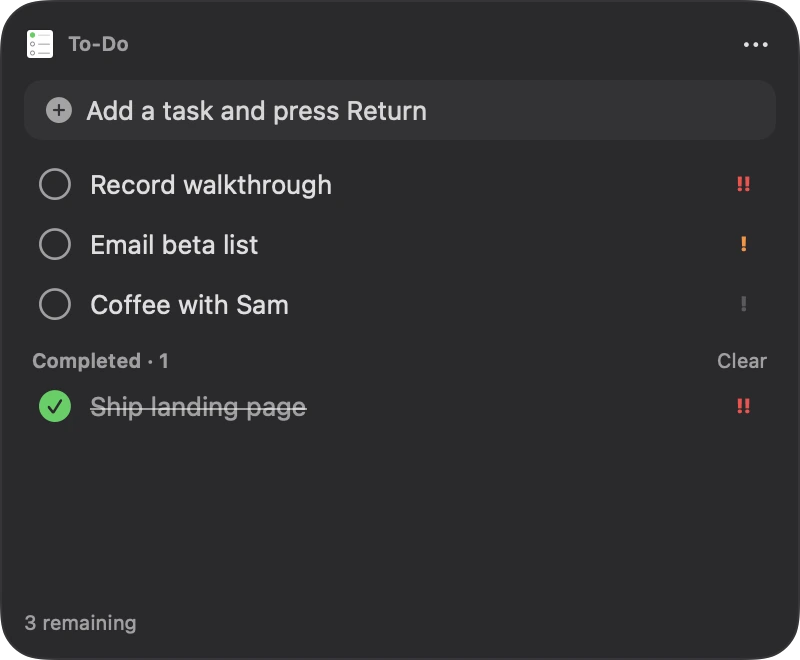
 FocusStay in the zone.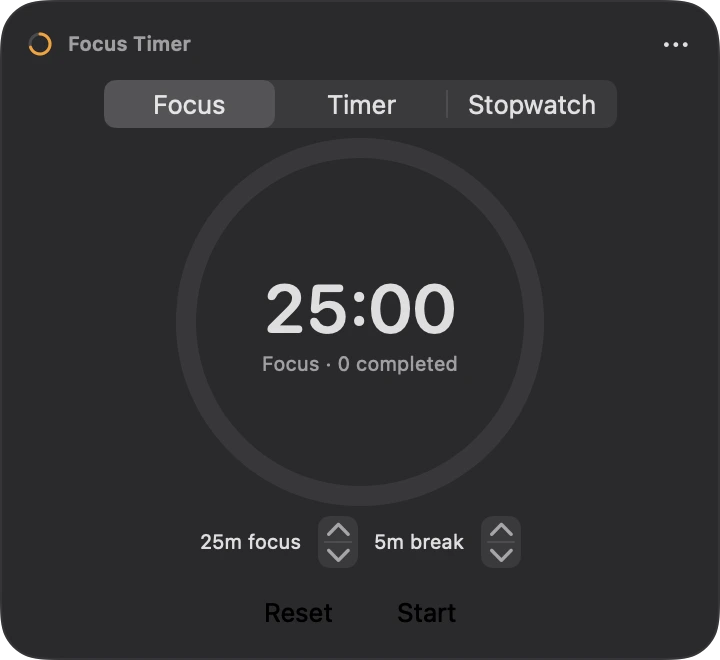
 CalendarYour week, at a glance.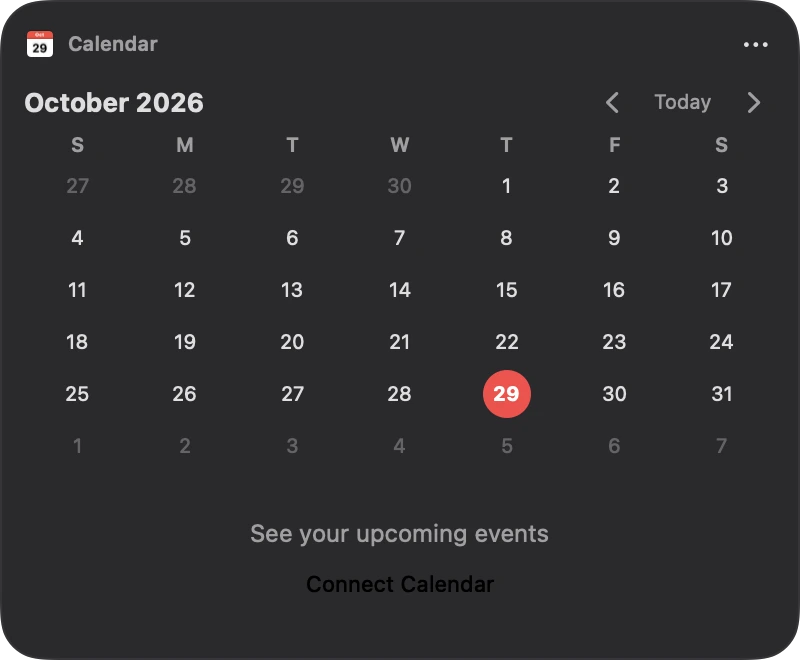

Open it your way.
Turn on the ones that fit your hands. Turn off the rest.
and counting
+ new every update
Drag in what you need. Leave the rest.
Search the gallery in the app, drop a module into any slot, then resize and reorder. New modules land with every update.
Make it feel like yours.
Pick a surface, then pick where it lives: floating, full width, or grown right out of the notch.
One drawer. Not a dock full of apps.
Unclutter for your files, clips and notes. TextSniper for grabbing text. A to-do app, a timer, a few menu bar widgets. ToolKITZ does all of it, in one drawer.
Unclutter and TextSniper features and prices are from their own websites and the Mac App Store, checked October 29, 2026. Unclutter also syncs files and notes through iCloud or Dropbox. Both are trademarks of their owners; ToolKITZ isn't affiliated with them.
Start free. Go Pro when it sticks.
The drawer basics are free for good. Pro unlocks all 71 modules, and every one we add.



Free
Free forever
- File Shelf, Clipboard and Notes
- Your last 25 clips
- All five ways to open it
- Graphite style, floating
Pro
- All 71 modules, plus every new one
- Full clipboard history
- Glass, Black, Full width and Notch
- Up to 3 Macs · cancel any time
Lifetime
Best valueOne payment. Yours forever.
- Everything in Pro, for good
- Every future update and module
- Pick 1, 2, 3 or 5 Macs
- No renewals, ever
Prices in US dollars. Tax for your country is added at checkout. Every plan starts with the same free download: upgrade from inside the app, where locked modules show a PRO badge.
Your stuff stays home.
Files, clips and notes live on your Mac. Your keys live in its Keychain. Nothing goes anywhere unless you send it.
Nothing leaves unless you say so.
Files, clips, notes and history are saved on this Mac. Nothing is uploaded unless you connect a service yourself.
No account. No tracking.
No sign-up, no analytics, no ads. It only goes online for modules that need to, like Weather or the services you connect.
Keys in your Keychain
Connect Stripe, GitHub or Claude with your own keys. They're stored in the macOS Keychain, nowhere else.

Skips sensitive apps
Tell Clipboard to ignore your password manager, or keep its copies concealed and in memory only.

Works offline
Shelf, Clipboard, Notes, timers and most modules work with no connection at all.
Clear your desk. Keep your tools.
Files, clipboard, notes, text capture and 70+ modules, one scroll away.
macOS 26+ · Apple silicon & Intel · 4.7 MB
What is ToolKITZ?
A panel that drops down from the top of your Mac's screen with the tools you use all day: a file shelf, clipboard history, notes, on‑screen text capture, and 70+ more modules you can add, resize and reorder.
How do I open it?
Move your cursor to the very top of the screen and scroll down. You can also hover the notch, drag a file to the top edge, press ⌃⌥T (or any shortcut you record), or hold a modifier key at the top edge. Turn each one on or off in Settings.
Does it replace apps like Unclutter or TextSniper?
For a lot of people, yes. File Shelf, Clipboard and Notes cover the drop‑down‑drawer basics, and Text Capture captures text from anything on screen. You also get the rest of the module gallery. Try it alongside what you use today and keep whichever fits.
What do I get for free?
File Shelf, Clipboard (your last 25 clips) and Notes, every way to open the drawer, and no time limit. Pro unlocks the other 68 modules, your full clipboard history, and the Glass, Black, Full width and Notch looks. Locked modules stay visible in the gallery with a PRO badge, so you can see what you’re missing.
Are new modules included?
Yes. New modules arrive in regular updates; Pro and Lifetime get every one of them.
Do I need an account?
No. There's no sign-up and no analytics. Everything is stored on your Mac.
My Mac says it can’t verify ToolKITZ
ToolKITZ isn’t notarized by Apple yet, so the first time you open it macOS asks you to approve it. It takes a minute: here’s how. The guide is also inside the download.
Which Macs does it run on?
macOS 26 or later, on both Apple silicon and Intel Macs.
Can I make it look different?
Pick Graphite, Glass or Black, choose Floating, Full width or Notch layout, and follow your Mac's light or dark appearance.